

roomvu Is Now Inside Canva: No More Blank Canvas
The official roomvu app for Canva loads your listings, headshots, and reviews into the editor before you design, then pushes the finished design across every channel in a few clicks.
If you design your marketing in Canva, you already know the friction. You open a blank canvas, then go hunting. Where is that listing photo? What was the square footage again? Which headshot did you use last time? By the time you have gathered everything, the post you meant to make in five minutes has eaten your morning.
We just removed that step. The official roomvu app for Canva is live, and it puts your real content inside Canva before you design a thing.
Your content, already in the editor
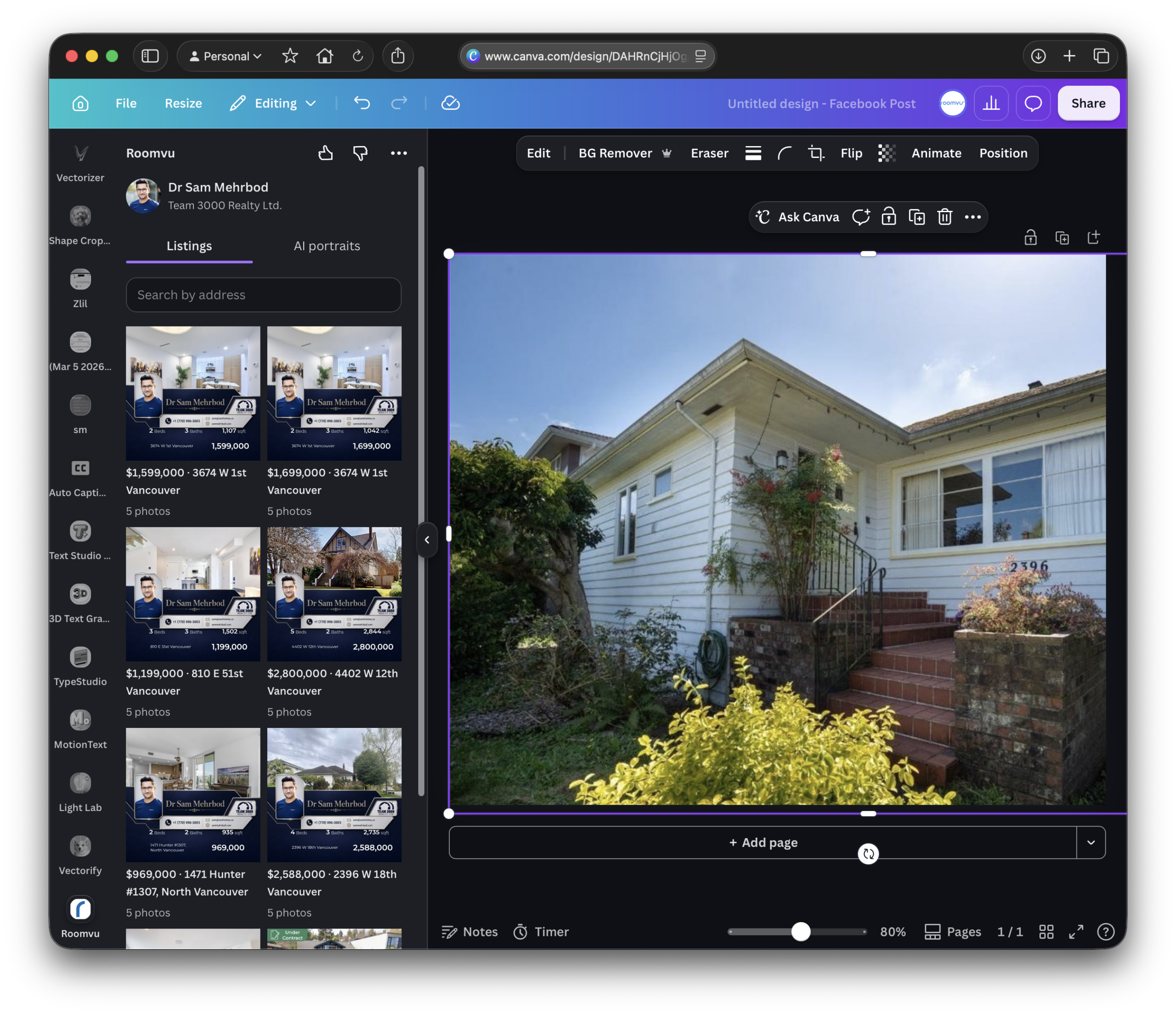
Canva is a beautiful design tool, but it never knew your business. Now it does. With the roomvu app open in your Canva sidebar, you can pull in three things that used to live in three different places:
Listings
Real MLS photos, details, and descriptions, searchable by address.
AI Portraits
Your professional headshots and lifestyle portraits.
Testimonials
Your real client reviews, ready to drop into a design.
Search, drag, drop, personalize. What used to take a scavenger hunt now takes seconds.
Design once, publish everywhere
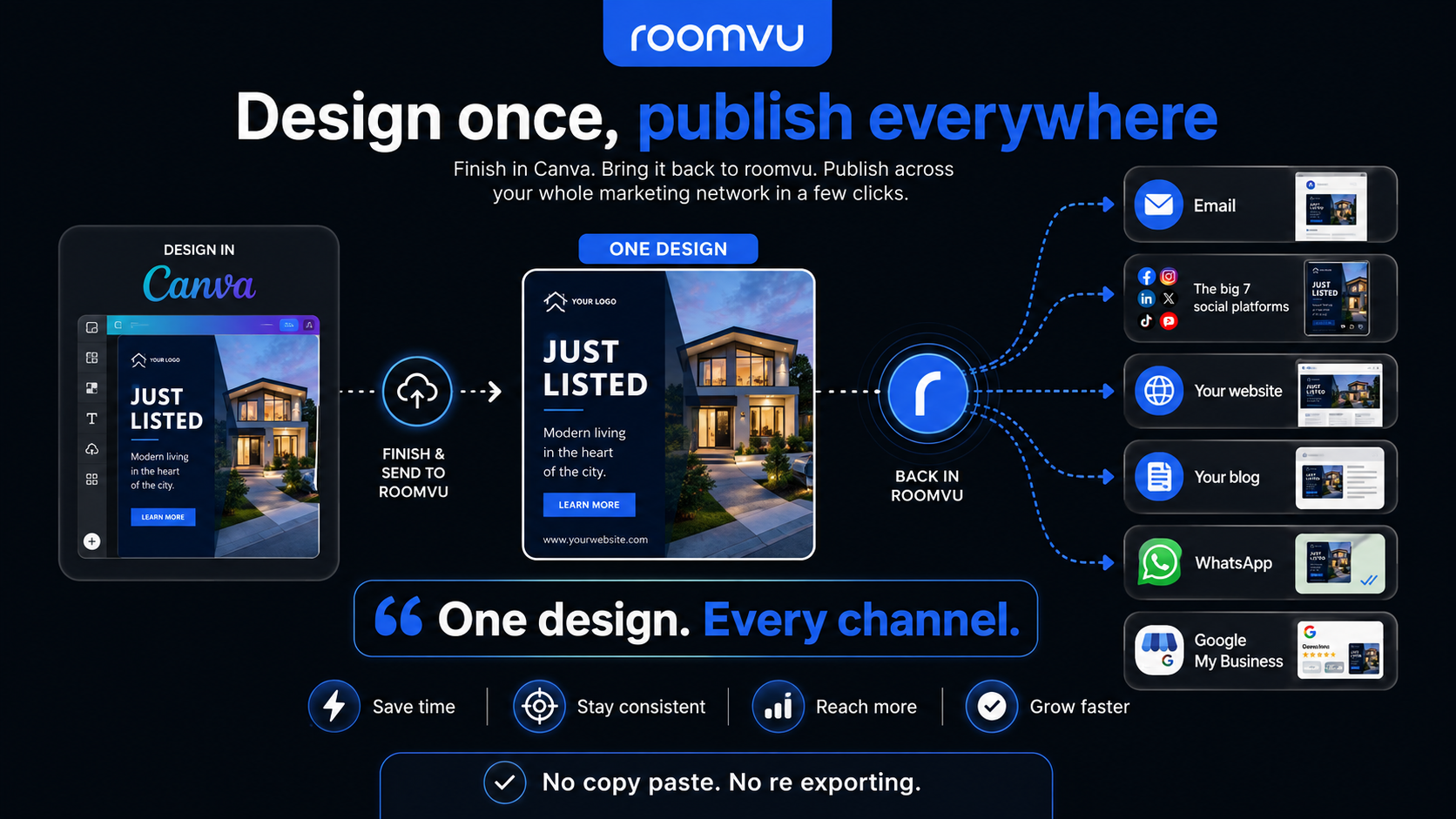
Here is the part that changes your week: it works both ways. Finish a design in Canva, import it back into roomvu, and push it across your entire marketing network in a few clicks.
One design. Every channel. No copy-paste, no re-exporting.
Getting started takes a minute
You just need a roomvu account, and a free one works to get going.
- In Canva, open Apps.
- Search roomvu and add it.
- Authorize with your roomvu account.
That is it. Your assets are there the next time you design.
Why it matters
Your time should go to clients, not to fighting a design tool. Meeting you inside Canva, with your listings, your face, and your reviews already loaded, and one-click distribution on the way out, is the whole point of roomvu: you should never have to build your marketing from scratch.

Stop starting from a blank canvas. Add the roomvu app to Canva and your assets are waiting.
Add roomvu to Canva