

Step 1
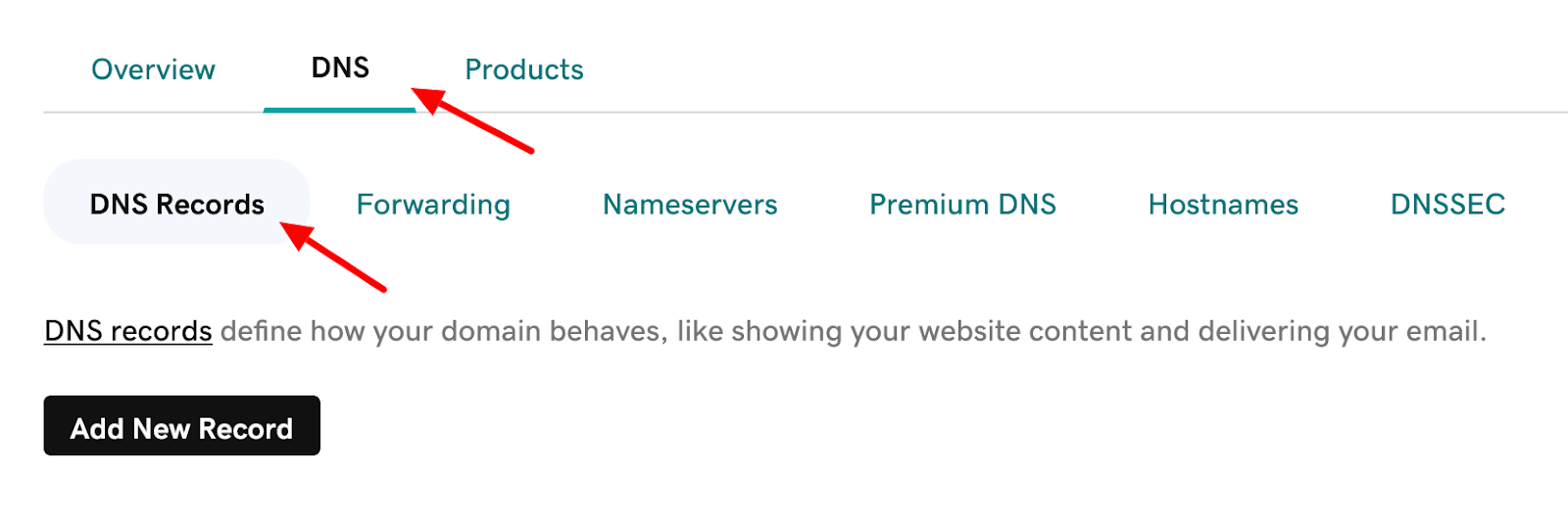
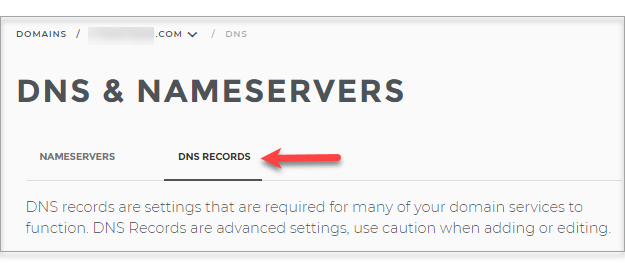
Go to your domain provider service, and login into your dashboard. Under your Domain setting, there should be an option called DNS records. Like these screenshots:

Sample 2

Step 2
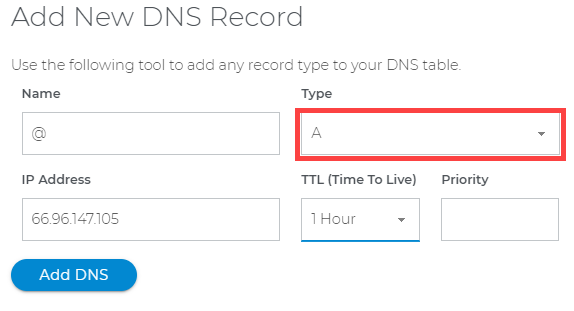
Click on ‘add new record’ and enter this data and click on save or update button. Everything is done and your domain will be updated in at most 24 hours.
| Field | Date to enter |
|---|---|
| Name | @ |
| Type | A |
| IP address | 138.197.154.187 |
| TTL | Do not change |
| Other fields | Do not change |
| Sample 1 | Sample 2 |
  |  |


Step 3:
You should also change the CNAME record for www in DNS records like this table:
| Field | Date to enter |
|---|---|
| Type | CNAME |
| Name | www |
| Value | Your domain address without www |
| TTL | Do not change |
| Other fields | Do not change |
| Sample |
 |
