Accessing Your Billing Information on Roomvu

Introduction
Navigating to your billing information on the Roomvu platform is straightforward. Whether you need to review your current bills or take a look at your past billing history, this guide will walk you through the process. Follow these simple steps to access your billing details.
Step 1: Log In to Your roomvu Account
- Start by opening your web browser and going to the roomvu homepage.
- Enter your login credentials to access your roomvu account.

Step 2: Accessing the Settings
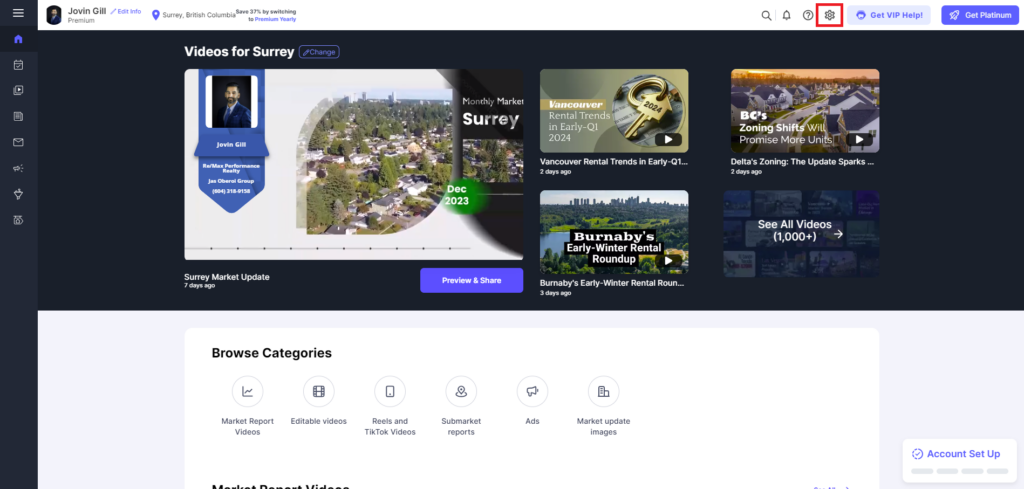
- Once logged in, locate the settings gear icon on your roomvu homepage.
- Click on this icon to open the settings menu.
Step 3: Navigating to Payment & Billing
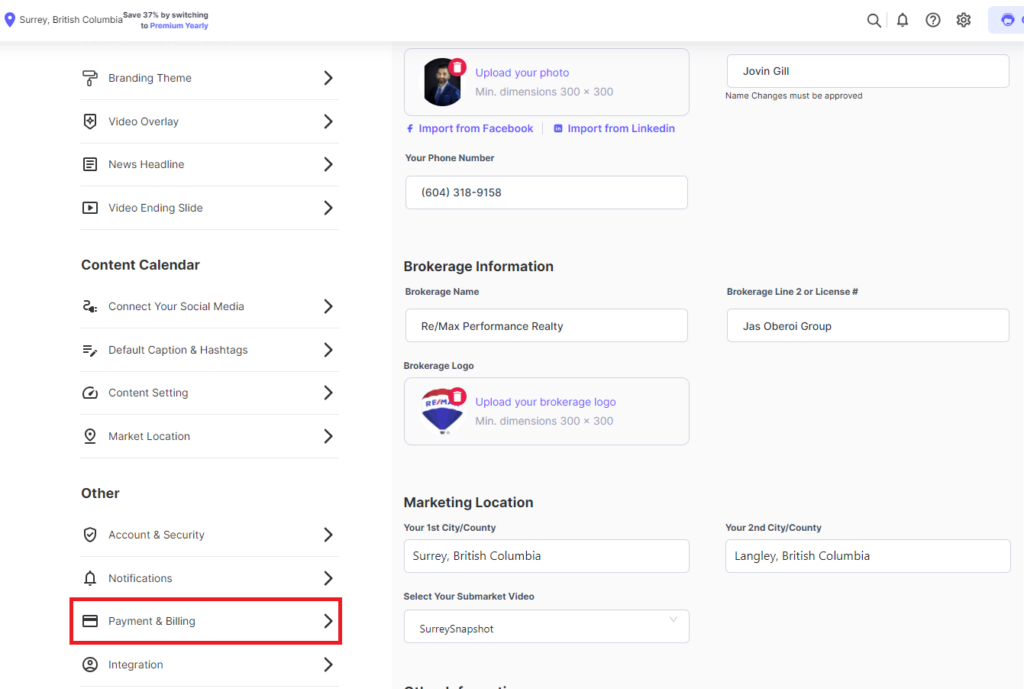
- In the settings menu, scroll down until you find the ‘Payment & Billing’ section.
- Click on ‘Payment & Billing’ to proceed.
Step 4: Viewing Your Billing Information
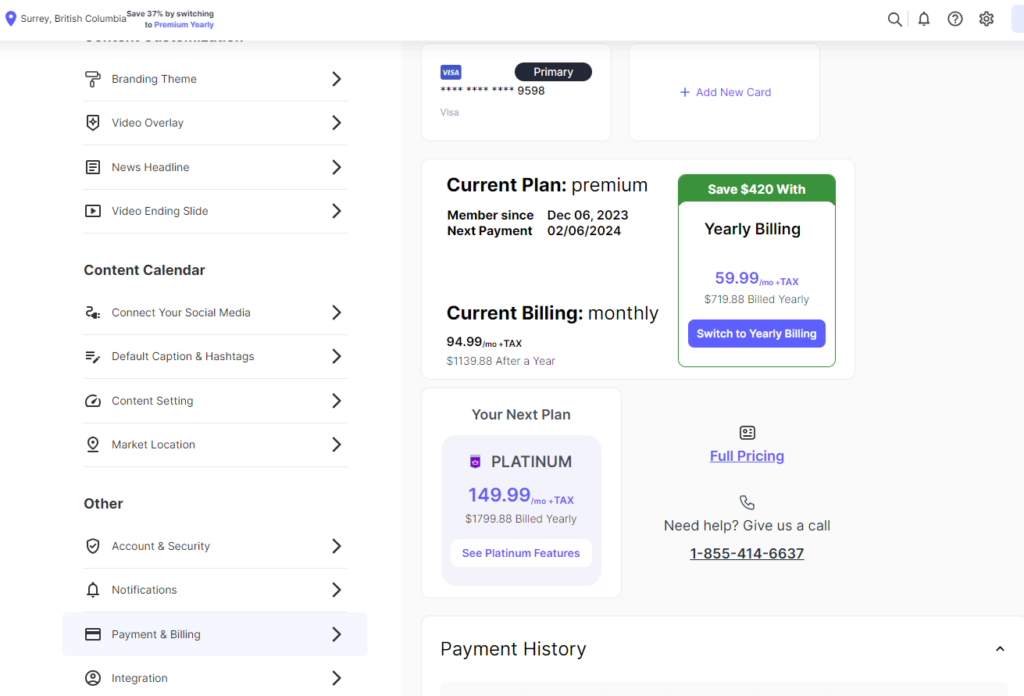
- In the ‘Payment & Billing’ section, you will see an overview of your billing information.
- Here, you can view details of your current bill, including due dates and amounts.
Step 5: Accessing Past Bills
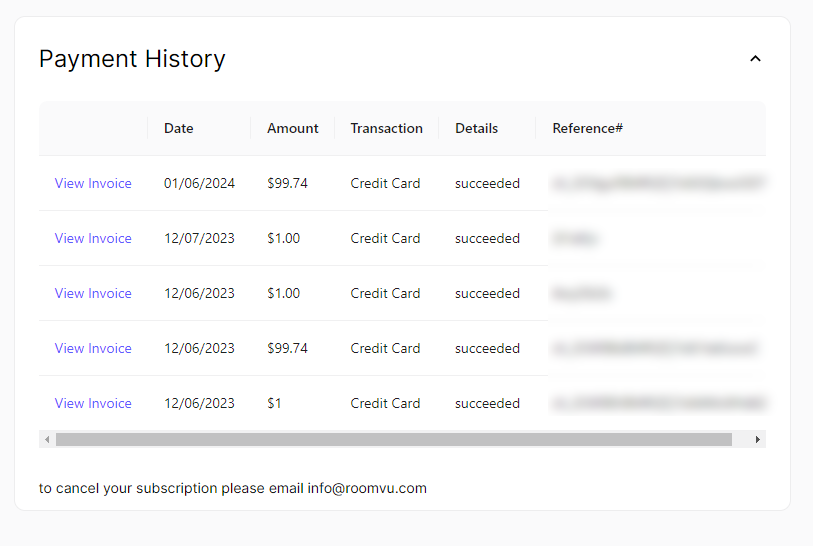
- If you need to view your past bills, look for an option or tab within the ‘Payment & Billing’ section labeled ‘Past Bills’ or ‘Billing History’.
- Click on this to view a list of your previous bills, which you can review or download for your records.
Conclusion
Accessing your billing information on Roomvu is a seamless process. By following these steps, you can quickly view your current and past bills, ensuring you are always up-to-date with your payments and account status.